

Informazioni su Google Drive backup
Sleep well: a fresh copy of your billing system is always somewhere safe.
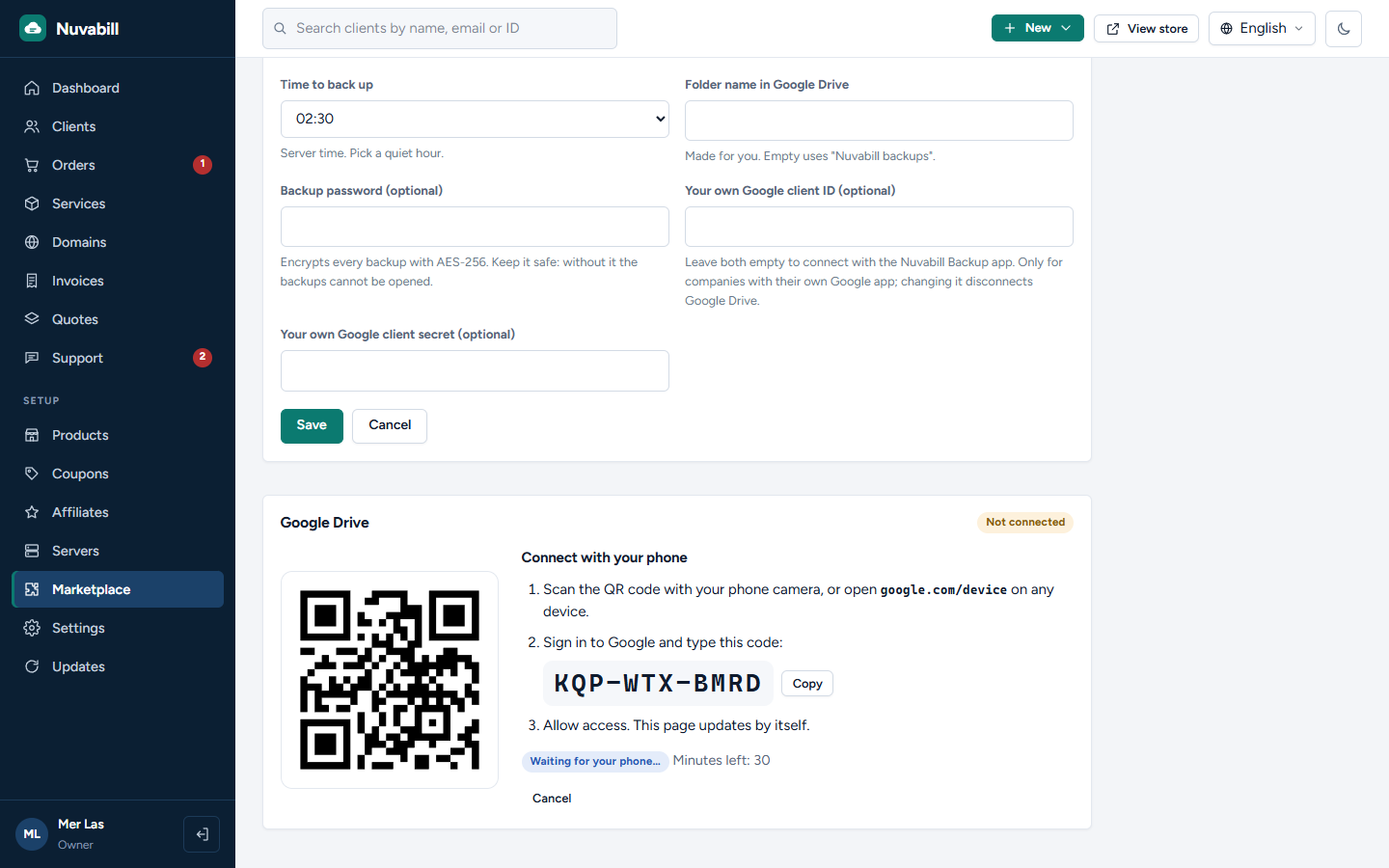
- Connect in a minute: press Connect, scan the QR code with your phone, sign in to Google and type the short code. Nothing to set up in Google
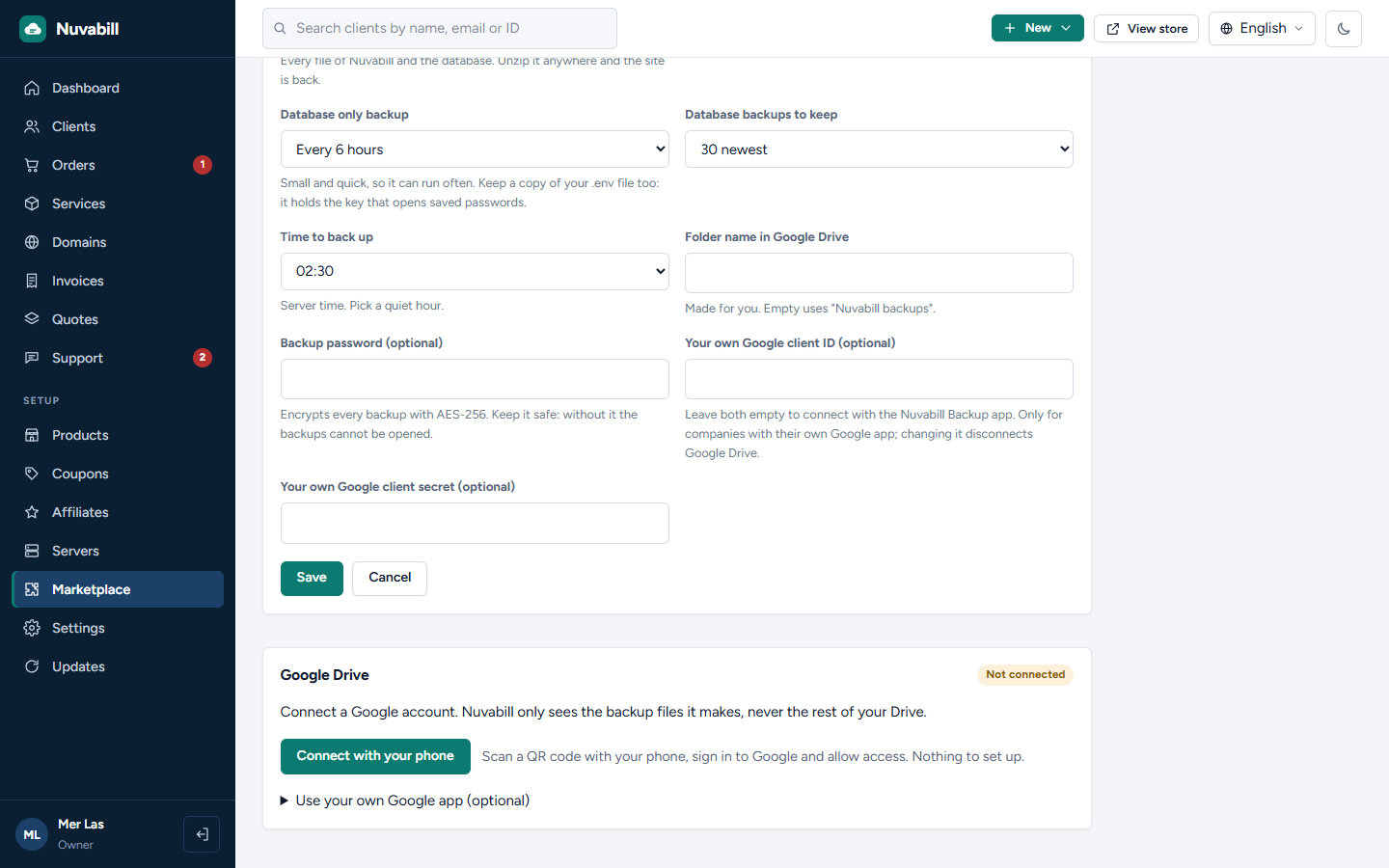
- Two backups, each with its own switch: the whole site (every file and the database) and the database only
- Whole site every day or every week; database every 6 hours, every day or every week, or off
- Keeps the newest copies you choose and deletes older ones
- Back up now with one click
- Optional password: every backup encrypted with AES-256
- Uses your own Google account and only sees the backup files it makes, never the rest of your Drive
- A RESTORE.txt in every backup explains how to put the site back
Companies that prefer their own Google app can still use one. Needs Nuvabill 0.4.2 or newer.
- Connect in a minute: press Connect, scan the QR code with your phone, sign in to Google and type the short code. Nothing to set up in Google
- Two backups, each with its own switch: the whole site (every file and the database) and the database only
- Whole site every day or every week; database every 6 hours, every day or every week, or off
- Keeps the newest copies you choose and deletes older ones
- Back up now with one click
- Optional password: every backup encrypted with AES-256
- Uses your own Google account and only sees the backup files it makes, never the rest of your Drive
- A RESTORE.txt in every backup explains how to put the site back
Companies that prefer their own Google app can still use one. Needs Nuvabill 0.4.2 or newer.
Cosa può fare sul tuo sito
Aggiunge impostazioni per lo staff
Lo staff lo configura nell'area di amministrazione.
Lo staff lo configura nell'area di amministrazione.
Aggiunge una pagina di amministrazione
Lo staff vede una nuova pagina nell'area di amministrazione.
Lo staff vede una nuova pagina nell'area di amministrazione.
Viene eseguito secondo una pianificazione
Svolge il suo lavoro a orari fissi tramite il tuo cron job.
Svolge il suo lavoro a orari fissi tramite il tuo cron job.
Copia l'intero sito
Legge il database e ogni file del sito, compreso il file di impostazioni .env, per creare i backup.
Legge il database e ogni file del sito, compreso il file di impostazioni .env, per creare i backup.
Si connette a accounts.google.com
Invia e riceve dati da questo indirizzo.
Invia e riceve dati da questo indirizzo.
Si connette a oauth2.googleapis.com
Invia e riceve dati da questo indirizzo.
Invia e riceve dati da questo indirizzo.
Si connette a www.googleapis.com
Invia e riceve dati da questo indirizzo.
Invia e riceve dati da questo indirizzo.