

Sobre Google Drive backup
Sleep well: a fresh copy of your billing system is always somewhere safe.
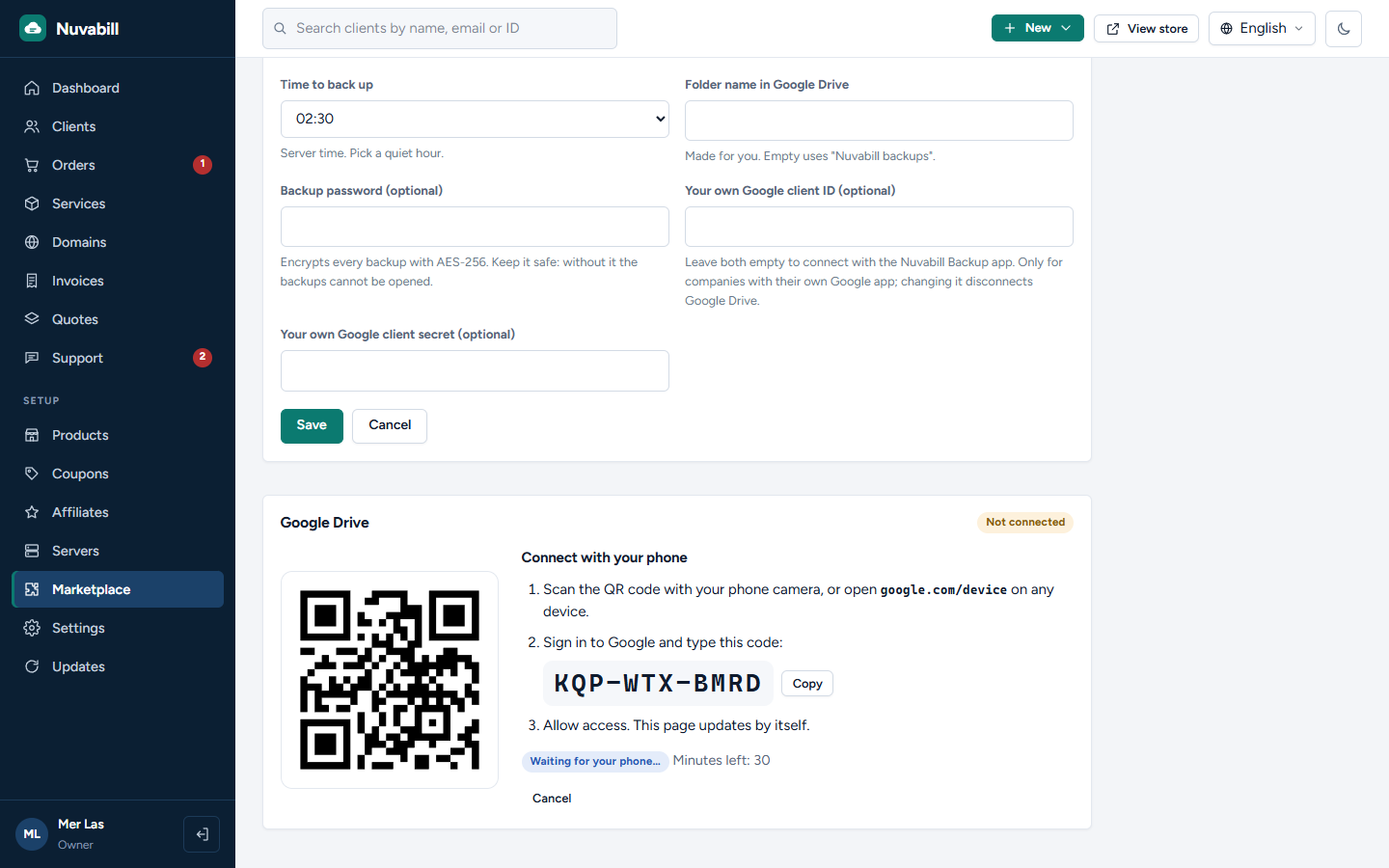
- Connect in a minute: press Connect, scan the QR code with your phone, sign in to Google and type the short code. Nothing to set up in Google
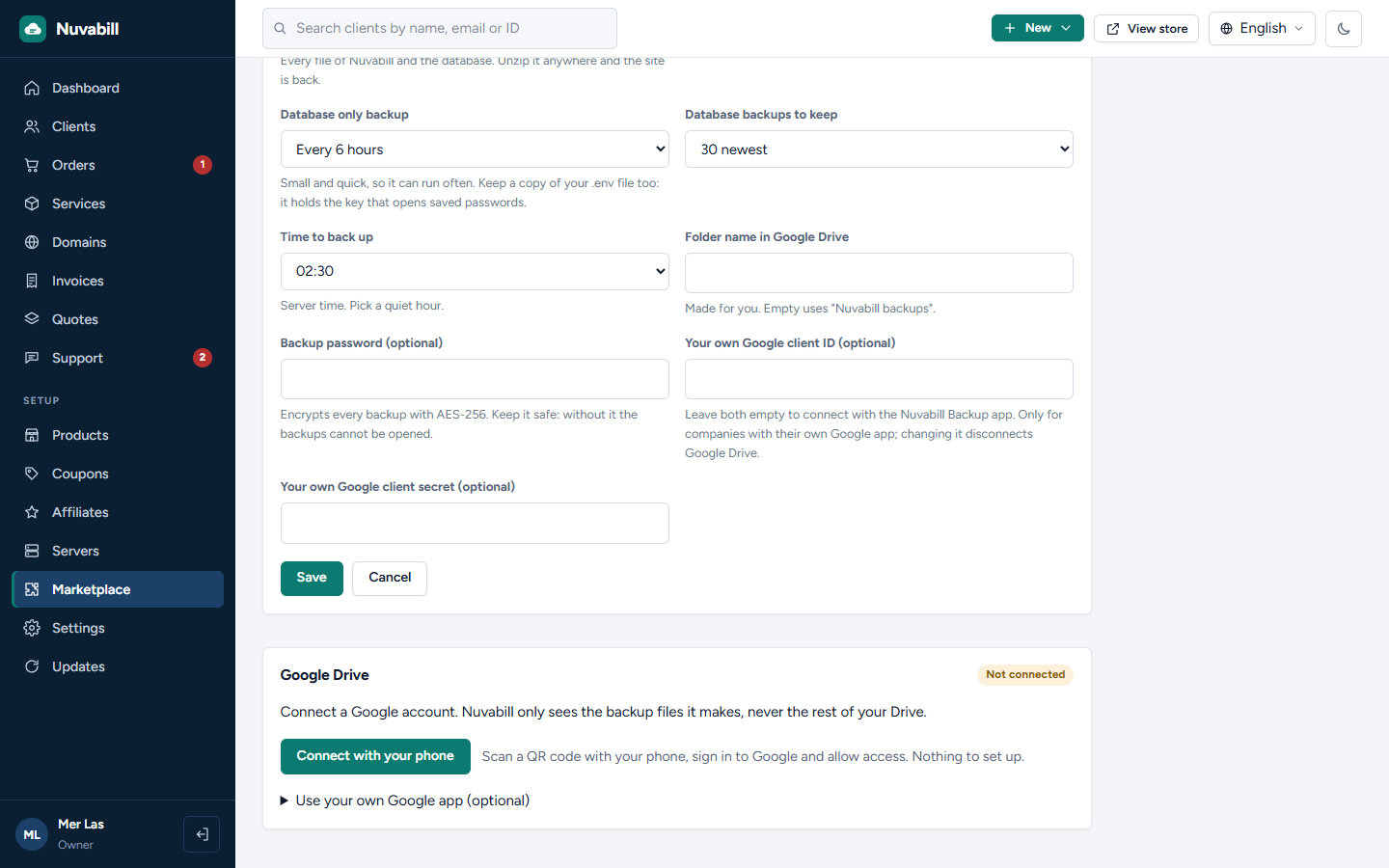
- Two backups, each with its own switch: the whole site (every file and the database) and the database only
- Whole site every day or every week; database every 6 hours, every day or every week, or off
- Keeps the newest copies you choose and deletes older ones
- Back up now with one click
- Optional password: every backup encrypted with AES-256
- Uses your own Google account and only sees the backup files it makes, never the rest of your Drive
- A RESTORE.txt in every backup explains how to put the site back
Companies that prefer their own Google app can still use one. Needs Nuvabill 0.4.2 or newer.
- Connect in a minute: press Connect, scan the QR code with your phone, sign in to Google and type the short code. Nothing to set up in Google
- Two backups, each with its own switch: the whole site (every file and the database) and the database only
- Whole site every day or every week; database every 6 hours, every day or every week, or off
- Keeps the newest copies you choose and deletes older ones
- Back up now with one click
- Optional password: every backup encrypted with AES-256
- Uses your own Google account and only sees the backup files it makes, never the rest of your Drive
- A RESTORE.txt in every backup explains how to put the site back
Companies that prefer their own Google app can still use one. Needs Nuvabill 0.4.2 or newer.
O que pode fazer no seu site
Adiciona configurações para a equipe
A equipe configura na área administrativa.
A equipe configura na área administrativa.
Adiciona uma página de administração
A equipe vê uma nova página na área administrativa.
A equipe vê uma nova página na área administrativa.
Executa de forma agendada
Executa tarefas em horários definidos pela sua tarefa cron.
Executa tarefas em horários definidos pela sua tarefa cron.
Copia todo o seu site
Lê o banco de dados e todos os arquivos do site, incluindo o arquivo de configurações .env, para fazer backups.
Lê o banco de dados e todos os arquivos do site, incluindo o arquivo de configurações .env, para fazer backups.
Conecta-se a accounts.google.com
Envia e recebe dados deste endereço.
Envia e recebe dados deste endereço.
Conecta-se a oauth2.googleapis.com
Envia e recebe dados deste endereço.
Envia e recebe dados deste endereço.
Conecta-se a www.googleapis.com
Envia e recebe dados deste endereço.
Envia e recebe dados deste endereço.