Acerca de Website Builder
Your hosting company's website and your billing system, in one place. No second CMS to update, and prices that are always right.
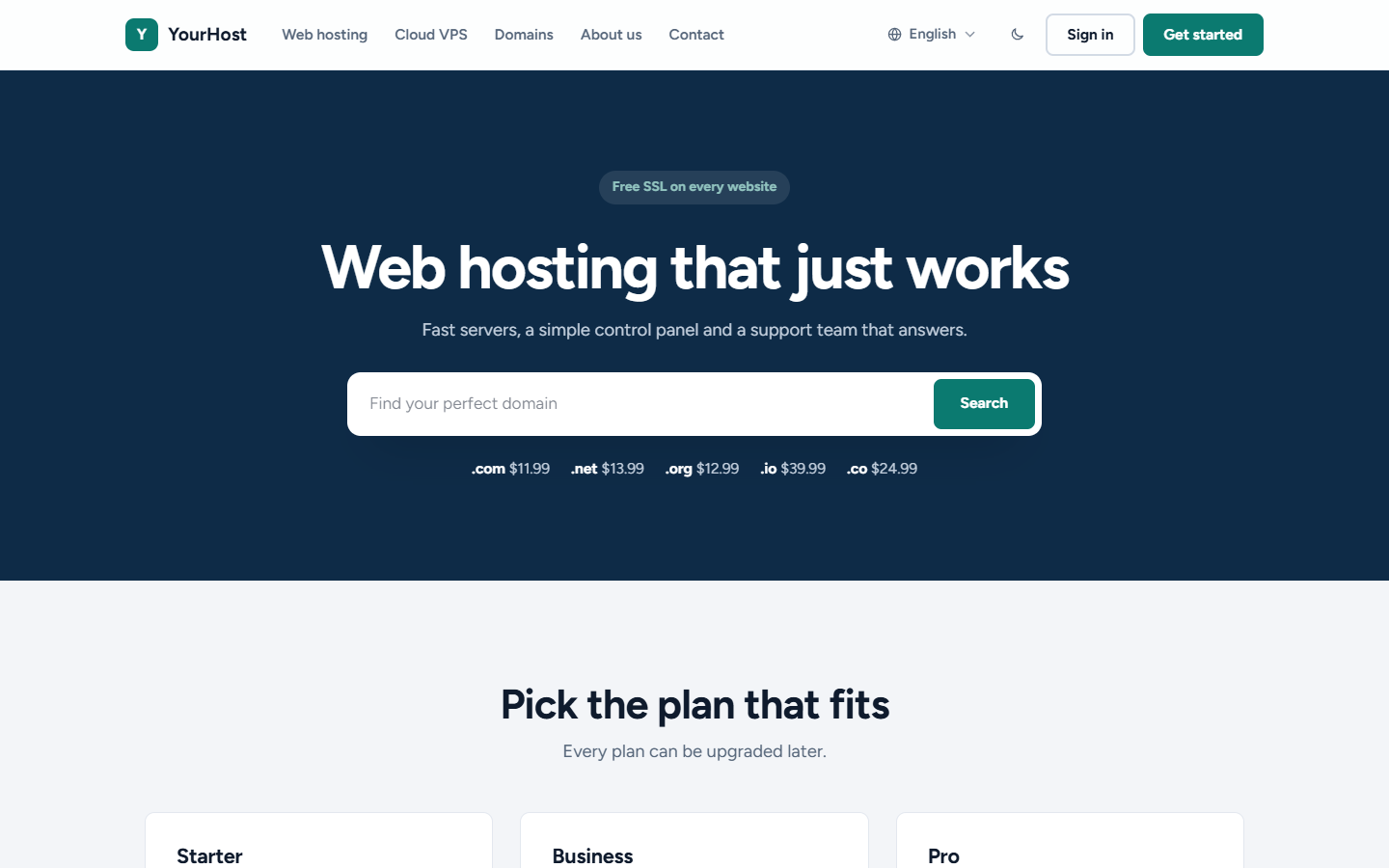
- Make my website: we fill in a home page, a page for each product group, Domains, About us and Contact, with your real products, prices and company details, in every language your site offers
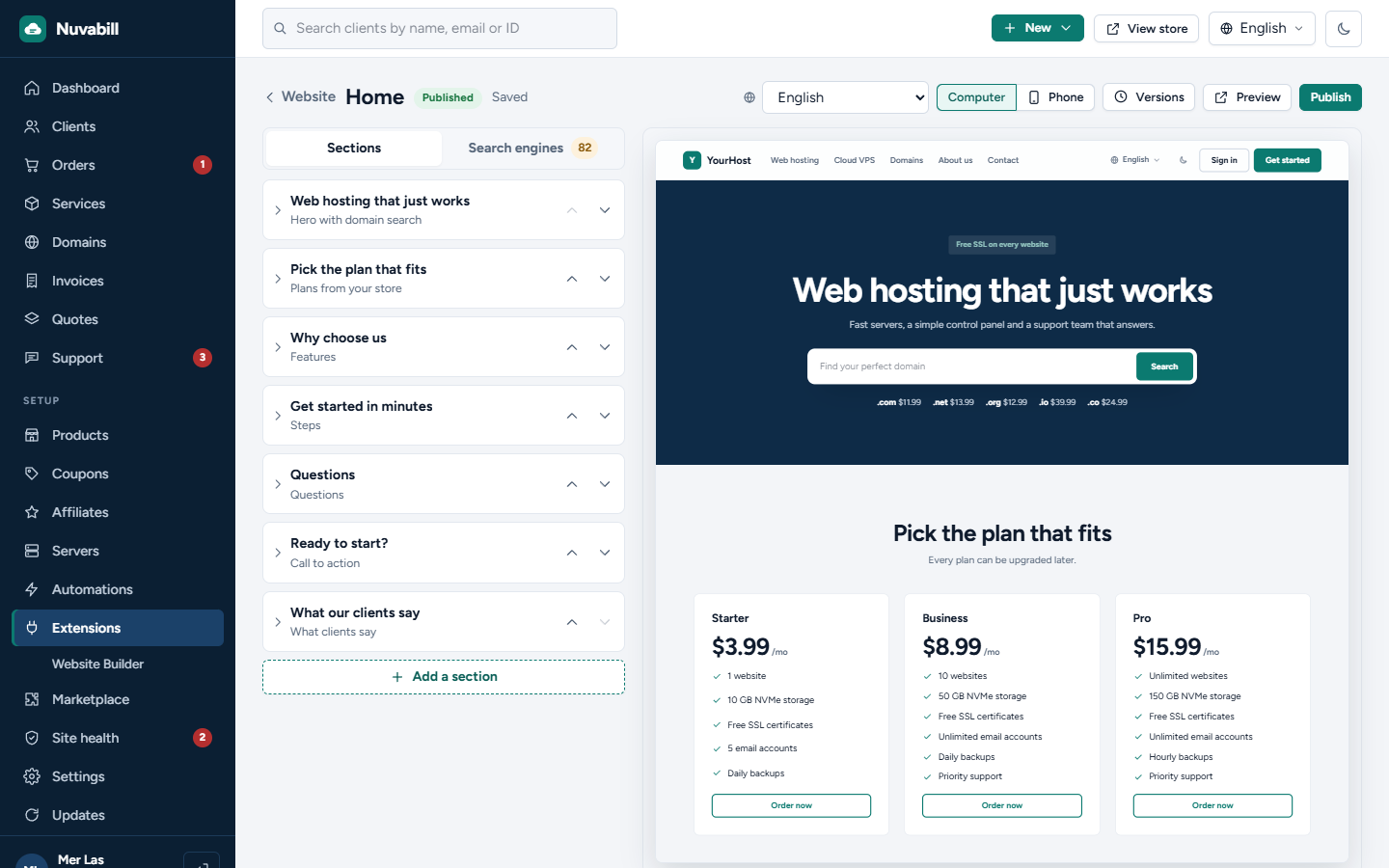
- 16 ready-made sections: hero with domain search, plans from your store, plan comparison, domain prices, features, numbers, server locations, reviews, questions, logos, steps, text and picture, call to action and a contact form
- Plans and prices come live from your store, so they are never out of date
- Click a text in the preview and type. Computer and phone preview, drafts, Publish, and the last 20 versions to go back to
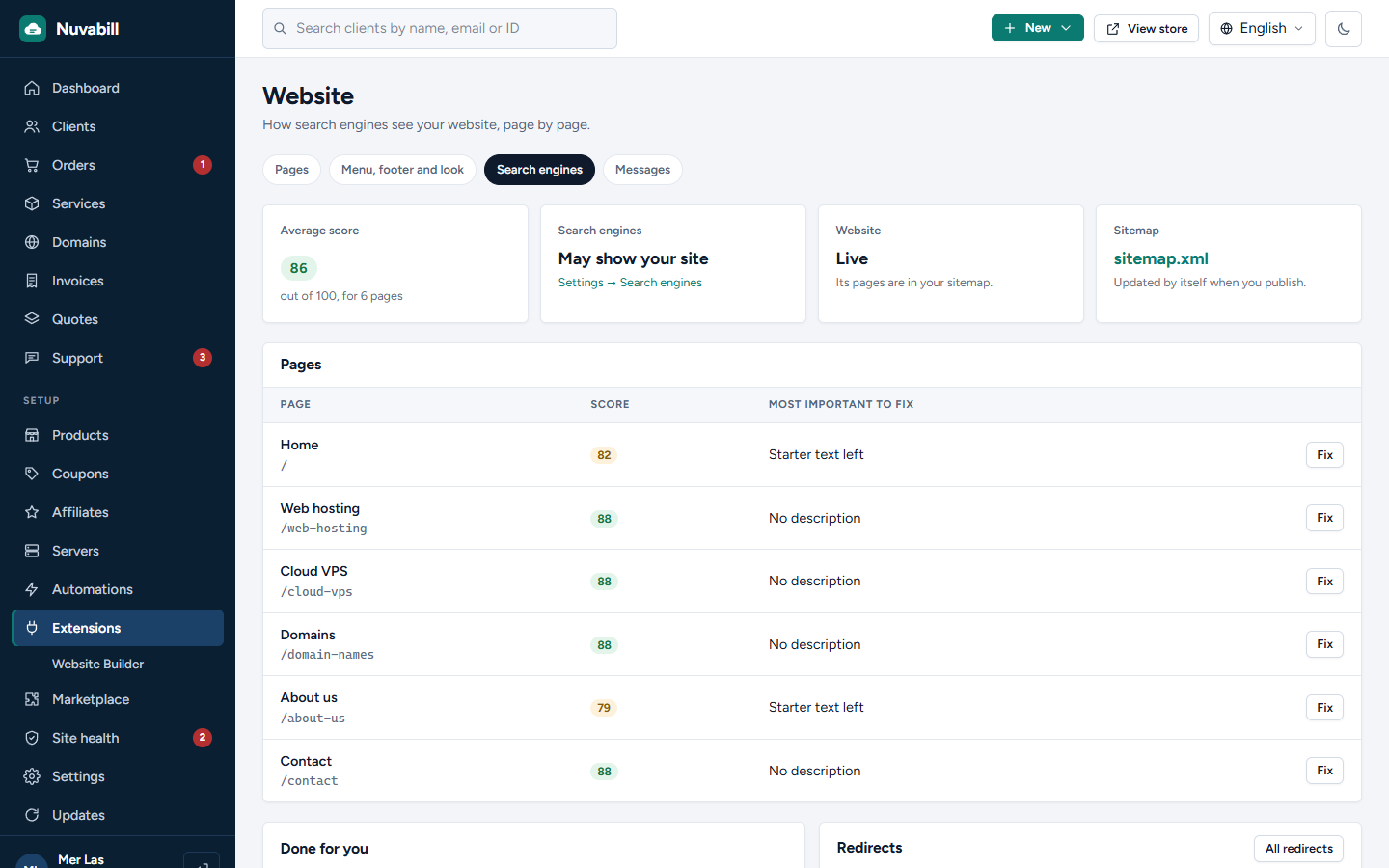
- Search engine tools: a score for every page, titles and descriptions with a Google preview, one main heading per page, picture descriptions, heavy pictures, broken links, sitemap.xml, language links (hreflang), link previews, Google data for your company, questions and plans, and a redirect when a page address changes
- Contact form with CAPTCHA: signed-in clients get a support ticket, visitors reach you by email
- Looks right with every theme. Aurora, Paper and Midnight bring their own style for it
- Nothing is public until you make it live. Then it becomes your home page, and the store moves to /store. Old store links keep working
Needs Nuvabill 0.6.1 or newer. One license is for one website. Test sites (localhost, .test, dev. and staging. addresses) are free.
- Make my website: we fill in a home page, a page for each product group, Domains, About us and Contact, with your real products, prices and company details, in every language your site offers
- 16 ready-made sections: hero with domain search, plans from your store, plan comparison, domain prices, features, numbers, server locations, reviews, questions, logos, steps, text and picture, call to action and a contact form
- Plans and prices come live from your store, so they are never out of date
- Click a text in the preview and type. Computer and phone preview, drafts, Publish, and the last 20 versions to go back to
- Search engine tools: a score for every page, titles and descriptions with a Google preview, one main heading per page, picture descriptions, heavy pictures, broken links, sitemap.xml, language links (hreflang), link previews, Google data for your company, questions and plans, and a redirect when a page address changes
- Contact form with CAPTCHA: signed-in clients get a support ticket, visitors reach you by email
- Looks right with every theme. Aurora, Paper and Midnight bring their own style for it
- Nothing is public until you make it live. Then it becomes your home page, and the store moves to /store. Old store links keep working
Needs Nuvabill 0.6.1 or newer. One license is for one website. Test sites (localhost, .test, dev. and staging. addresses) are free.
Qué puede hacer en tu sitio
Muestra páginas a los visitantes
Añade páginas a tu sitio y puede mostrar tu página de inicio. La tienda pasa entonces a /store.
Añade páginas a tu sitio y puede mostrar tu página de inicio. La tienda pasa entonces a /store.
Añade una página de administración
El personal ve una página nueva en el área de administración.
El personal ve una página nueva en el área de administración.
Añade ajustes para el personal
El personal lo configura en el área de administración.
El personal lo configura en el área de administración.
Añade sus propias tablas a la base de datos
Guarda sus propios datos.
Guarda sus propios datos.